
4. Installing SSL
At Host4Peanuts, we provide SSL Certificate for free. We highly recommend you to install SSL to provide extra security for you and your future clients.
Step 1: Log into Direct Admin (Guide)
Step 2: Select the Domain which you want to install the SSL Certificate on the top right of the control panel
Step 3: Under account management, select SSL Certificates.
Step 4: Select “Free & Automatic Certificate from Let’s Encrypt”
Step 5: Select which domains you want to install SSL Certificate by ticking the checkbox. Be sure to tick “Force SSL with https Redirect” to enable auto https:// of your domain when you/your clients login.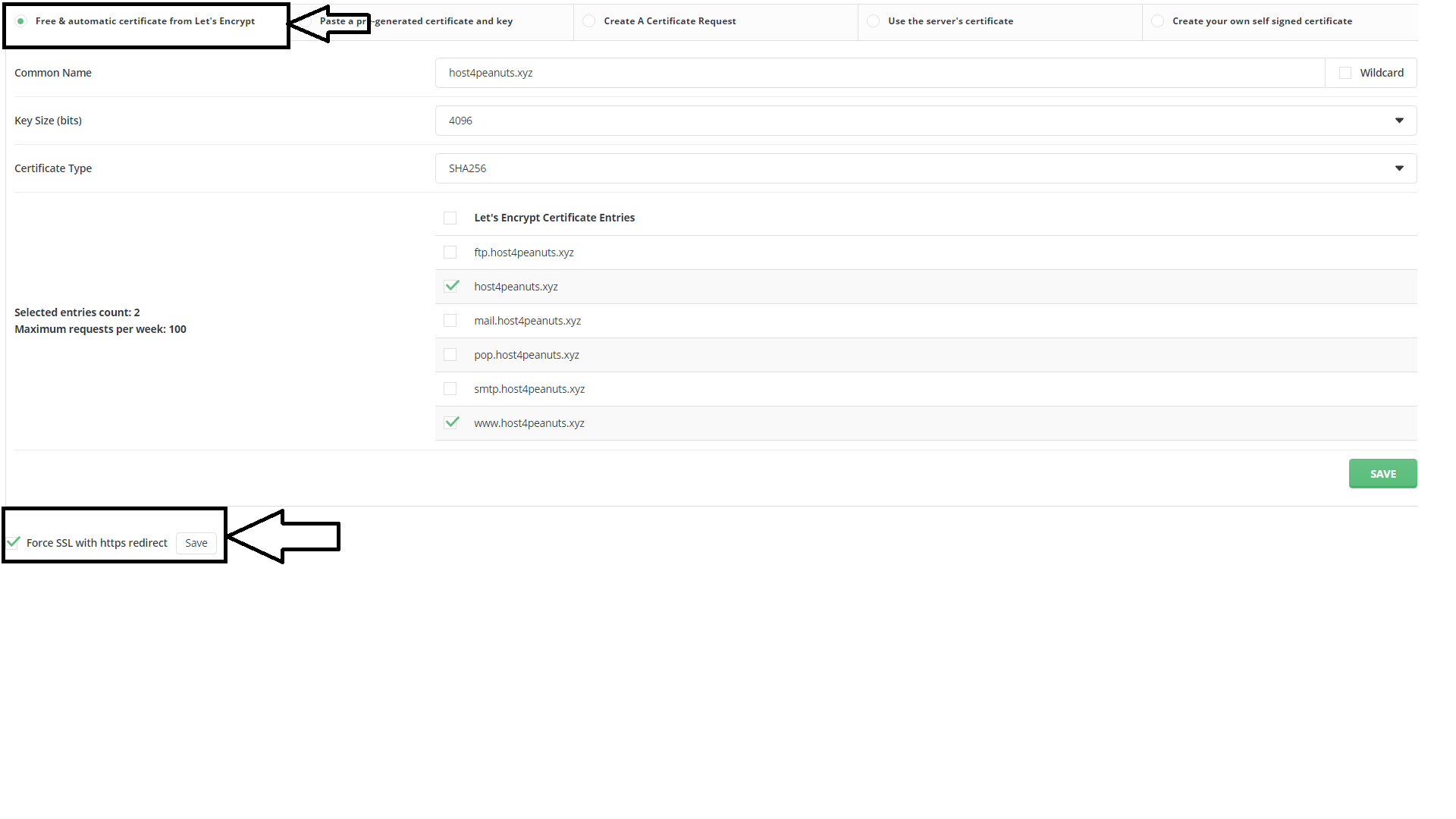
Step 6: Click Save
Step 7: Once SSL Certificate has been approved, it should auto renew every 60 days.
Do contact us if you need any help/support