
5. Installing WordPress
According to W3Techs, WordPress powers 35% of all the websites on the Internet, including those without a content management system (CMS) or with a custom-coded CMS.
Here is how to install WordPress on your domain.
Step 1: Login Direct Admin (Guide)
Step 2: If you have multiple domains in a single account, select the domain which you want to install WordPress on the top right corner.
Step 3: Search for Softaculous Auto Installer and click on it.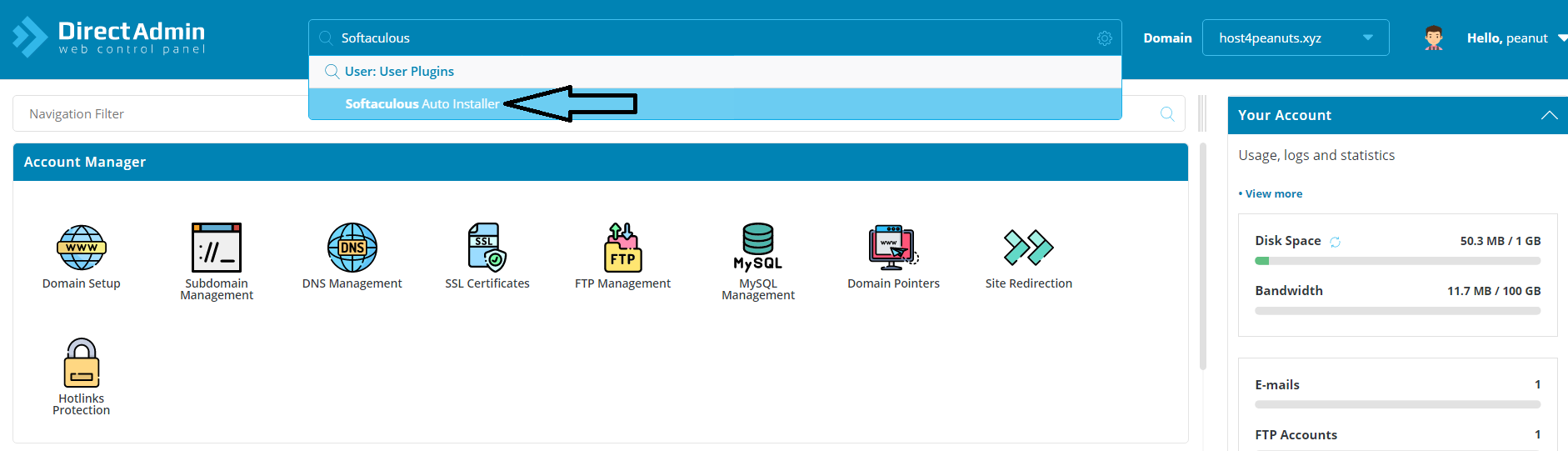
Step 4: Search and Click on WordPress
Step 5: Select “Install Now”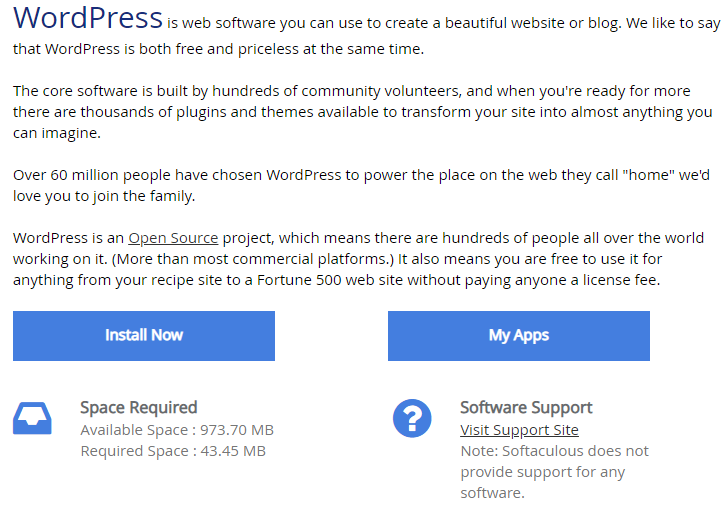
Step 6: Select the Latest Version and Installation URL
(e.g. https://host4Peanuts.xyz)
Step 7: Be sure to set a new admin username and admin password which is secured. Themes can be editted later on if you want.
Step 8: Press “Install” and WordPress will then be installed.
For more info regarding WordPress, please refer to their support page HERE